


When developing serverless functions and an API on AWS cloud platform, you also create an open API definition (swagger documentation), to download the file easily from the command line you can use tools like aws-cli or npm package.
OK! so now what? we have the swagger file an ugly JSON or YAML that doesn't really help us by itself, so now we need to use swagger UI, or swagger editor, to see and interact with our API documentation.
Again why not automate the process, micro-swagger was born, and what we doing with micro-swagger is connecting these two steps into one elegant process, micro-swagger will download and serve the file locally for you to use and interact with.
npm i -g micro-swagger
micro-swagger start
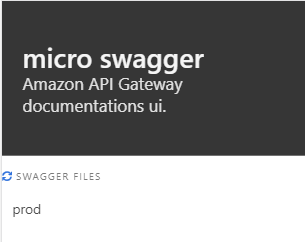
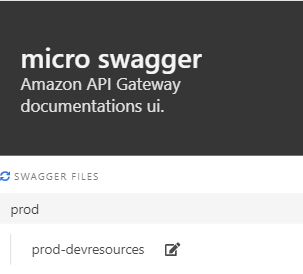
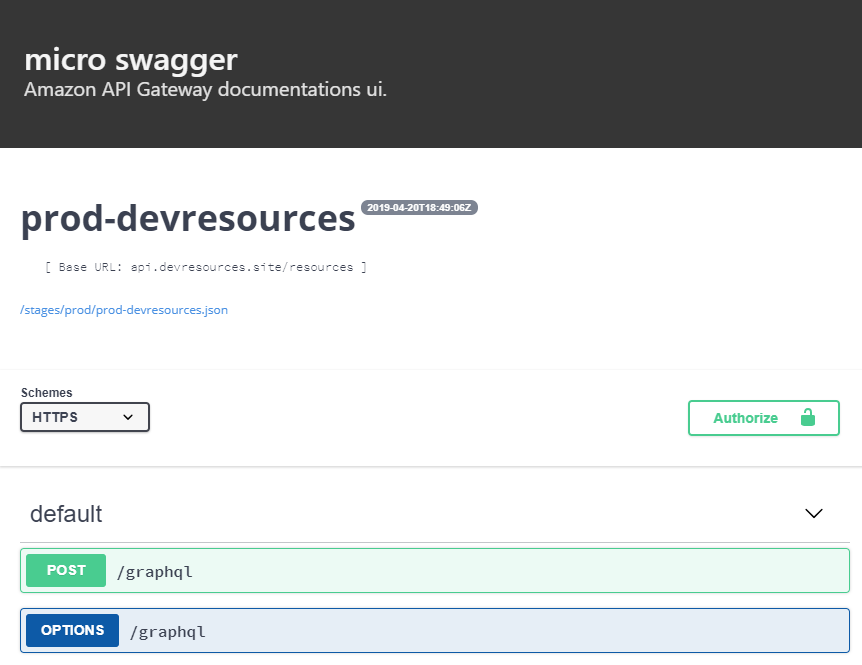
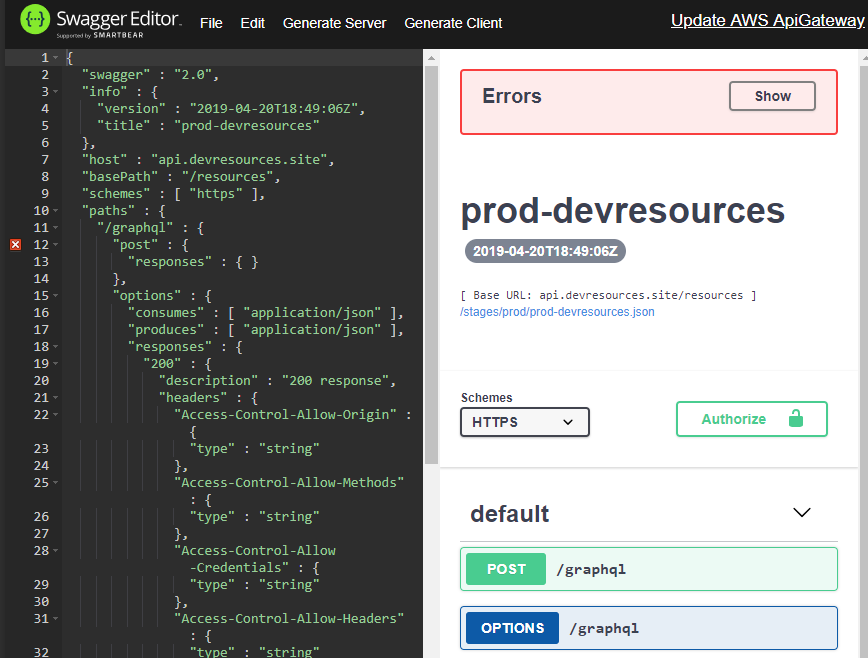
This is it, the browser will pop up with the UI, fetching the API docs from AWS API Gateway (the first load is slow if you have many APIs), in the list you can pick a stage, like prod, and you will get a list of all the APIs in this stage, you can use the swagger UI by clicking the name to the editor by clicking the pencil icon.
About the author
HI there 👋
I'm Nir Adler, and I'm a Developer, Hacker and a Maker, you can start with me a conversation on any technical subject out there, you will find me interesting.
Comments
Join the discussionNo comments yet. Be the first to comment.


